Olga Libby

Panorama Positive Behavior

A behavior-management platform that gives K-12 districts a shared system for supporting students — turning scattered data into clear, daily action.

Product
Behavior management and intervention platform
Users
Teachers, school leaders, and district administrators
Role
Lead Product Designer
Team
Product Manager, Engineers, Researchers, Education Stakeholders

Enterprise SaaS · K-12

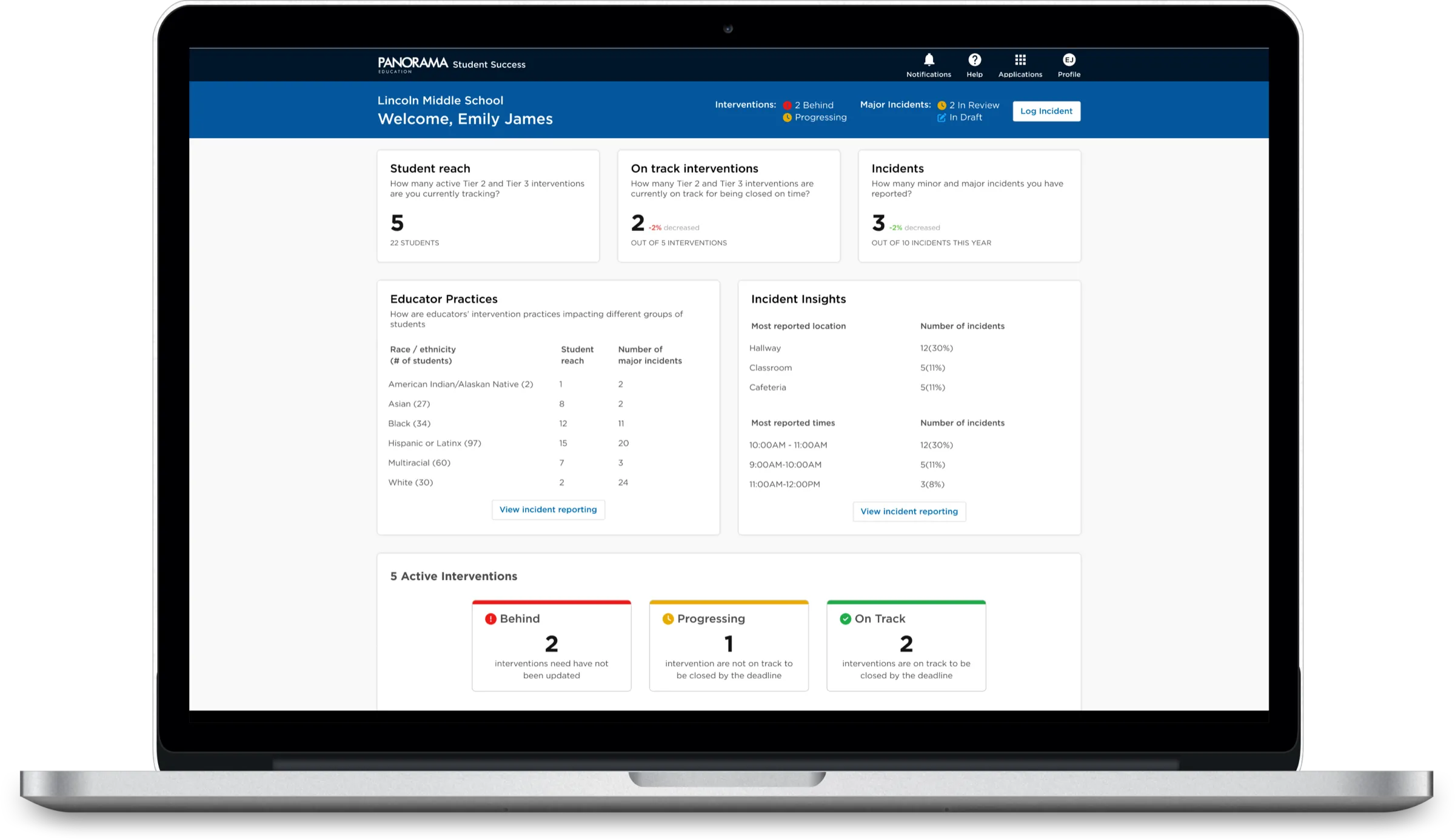
Panorama Positive Behavior dashboard shown on a laptop screen
Expansion revenue
$2M
District retention
95%
Reduction in office referrals
40%
Back to Work

A 6-month sprint to launch by back-to-school — 3 dashboards and 1 logging form, shipped in a year.

Executive Summary

A shared system for student behavior.

Panorama's Student Success product helps educators turn Student Information System data into action using the MTSS and PBIS frameworks. A 2021 competitive analysis surfaced a critical gap — no tool gave educators a complete view of student behavior across their schools and districts.

I joined as one of the first hires on a new product line, leading design from inception through launch and beyond. Partnering with product, data science, academic specialists, and engineering, we shipped three role-based dashboards and a comprehensive incident logging form within a year — while the team grew from 2 to 13.

We set out to give every educator a single, trustworthy picture of behavior — and a clear next step.

The Challenge

Educators were flying blind.

With our product manager and academic specialist, I ran extensive research with teachers, principals, district admins, and internal experts — mapping how schools actually manage behavior, and where the existing tools fell short.
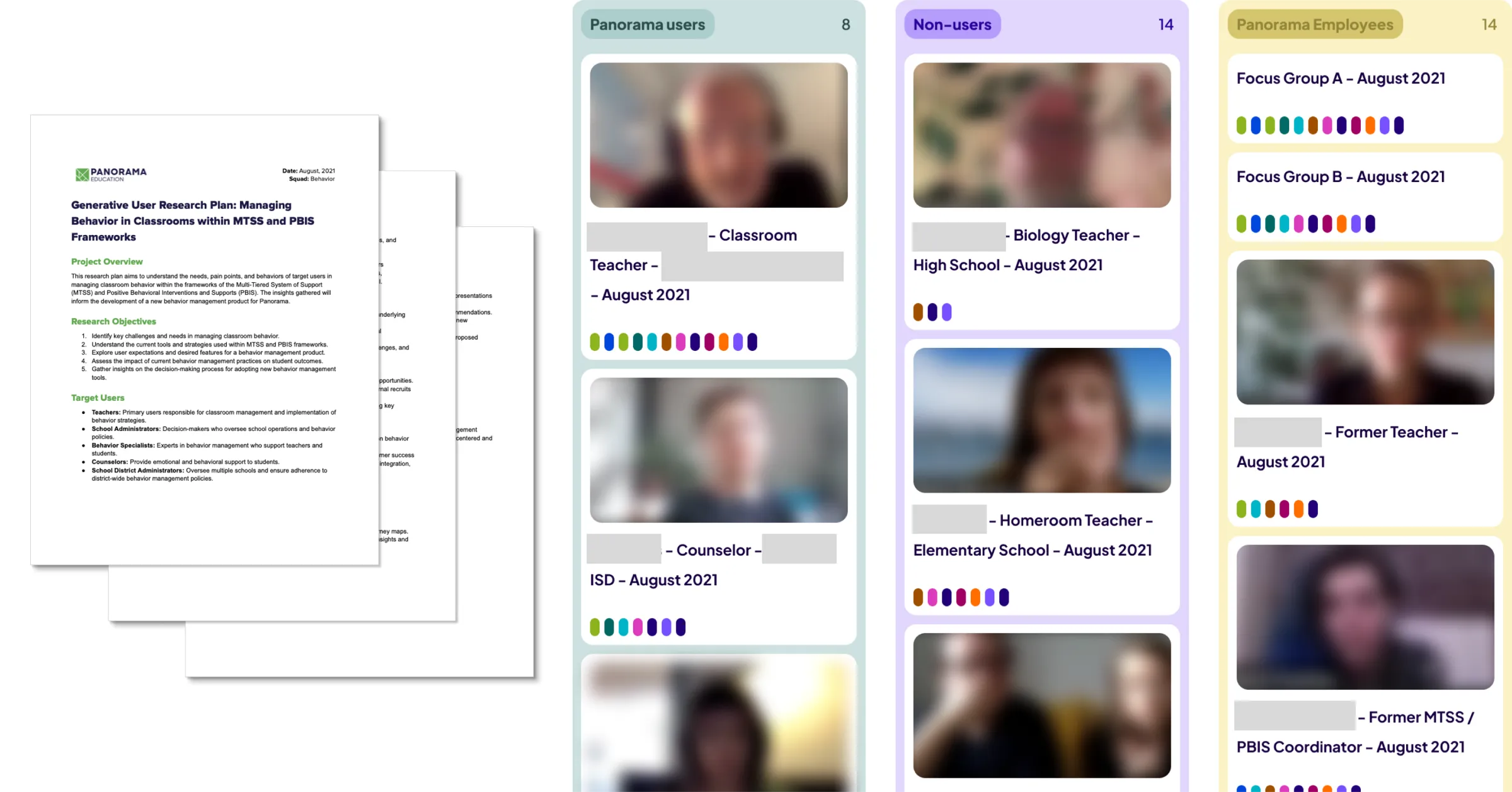
User research synthesis board
User research
of districts lack the resources to meaningfully parse and analyze their data.
40%
of schools use at least 3 different methods to record and analyze behavior.
95%
of teachers struggle with day-to-day classroom behavior management.
65%
Key academic finding
Schools with frequent major incidents often lack up-to-date Tier 2 and Tier 3 interventions. Put the right interventions in place, and major incidents drop measurably.
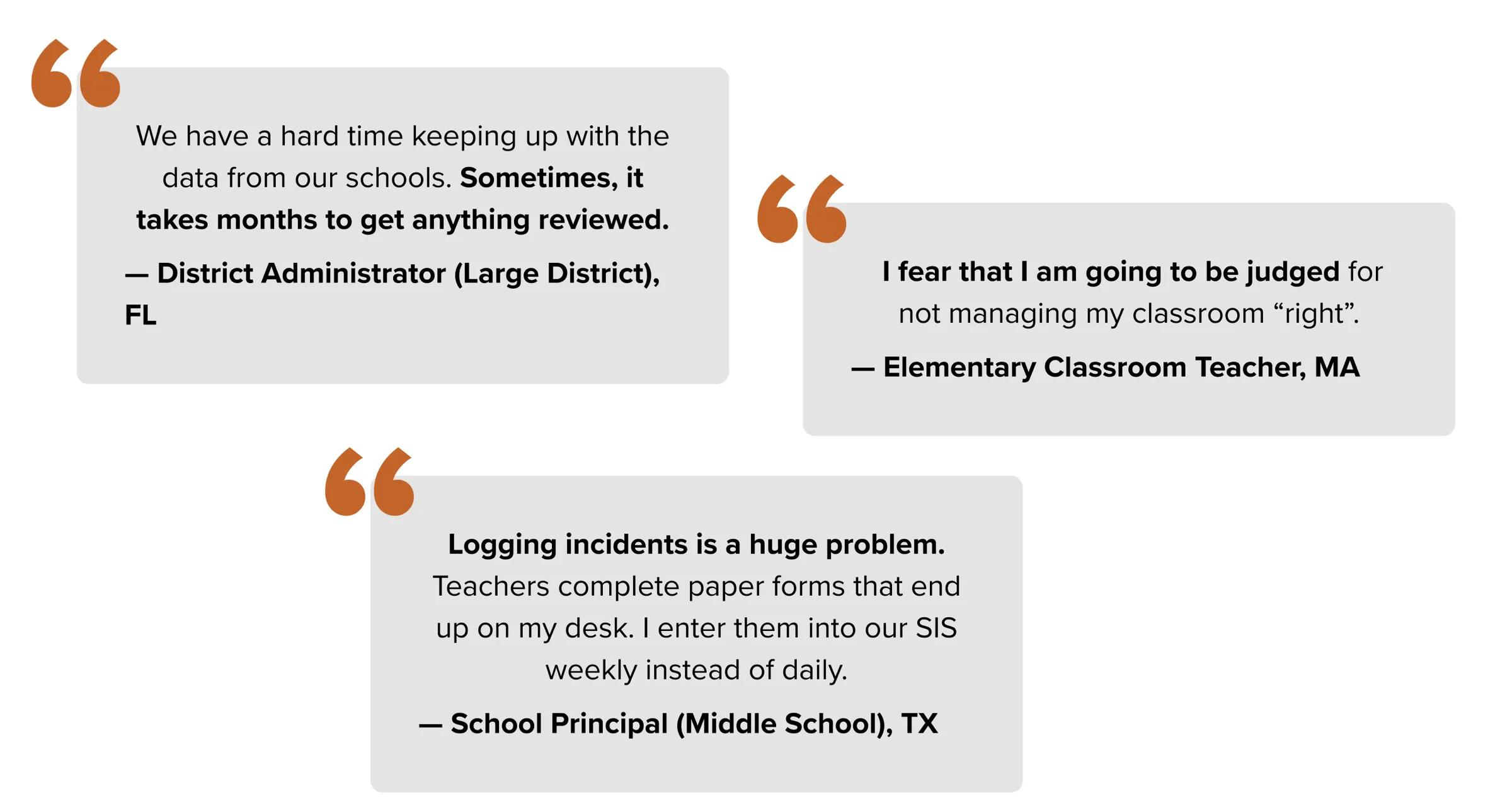
Quotes from educators gathered during discovery

The deeper problem was structural: there was no central hub. To understand a single student, educators stitched together multiple disconnected sources — losing time and confidence at every step.

The Strategy

Three roles, one source of truth.

After workshops to define the problem space and a service blueprint for behavior management, I led the creation of three personas — each essential to making positive behavior practices stick.
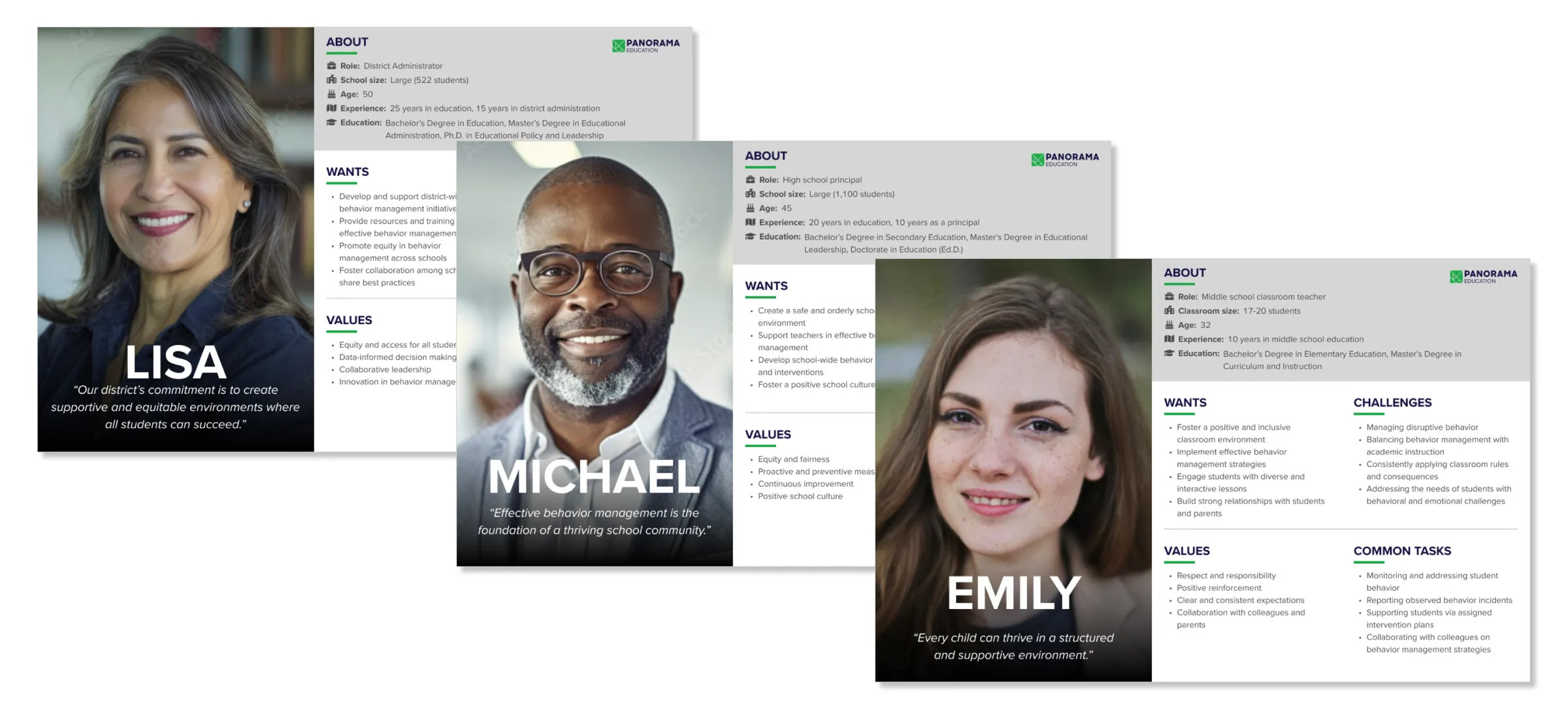
  • District Admin
    Tracks district-wide trends, ensures compliance with state standards, and supports school staff promptly.
  • School Principal
    Stays informed on school trends, gets timely incident alerts, and supports staff and students fast.
  • Teacher
    Submits incident reports confidently, stays on top of tasks, and receives support and resources promptly.
District Admin, School Principal, and Teacher persona sheets
Personas

With six months to launch, we audited what already existed. SIS incident data was unreliable, reporting was scattered, and nothing connected it. The plan focused on two pillars:
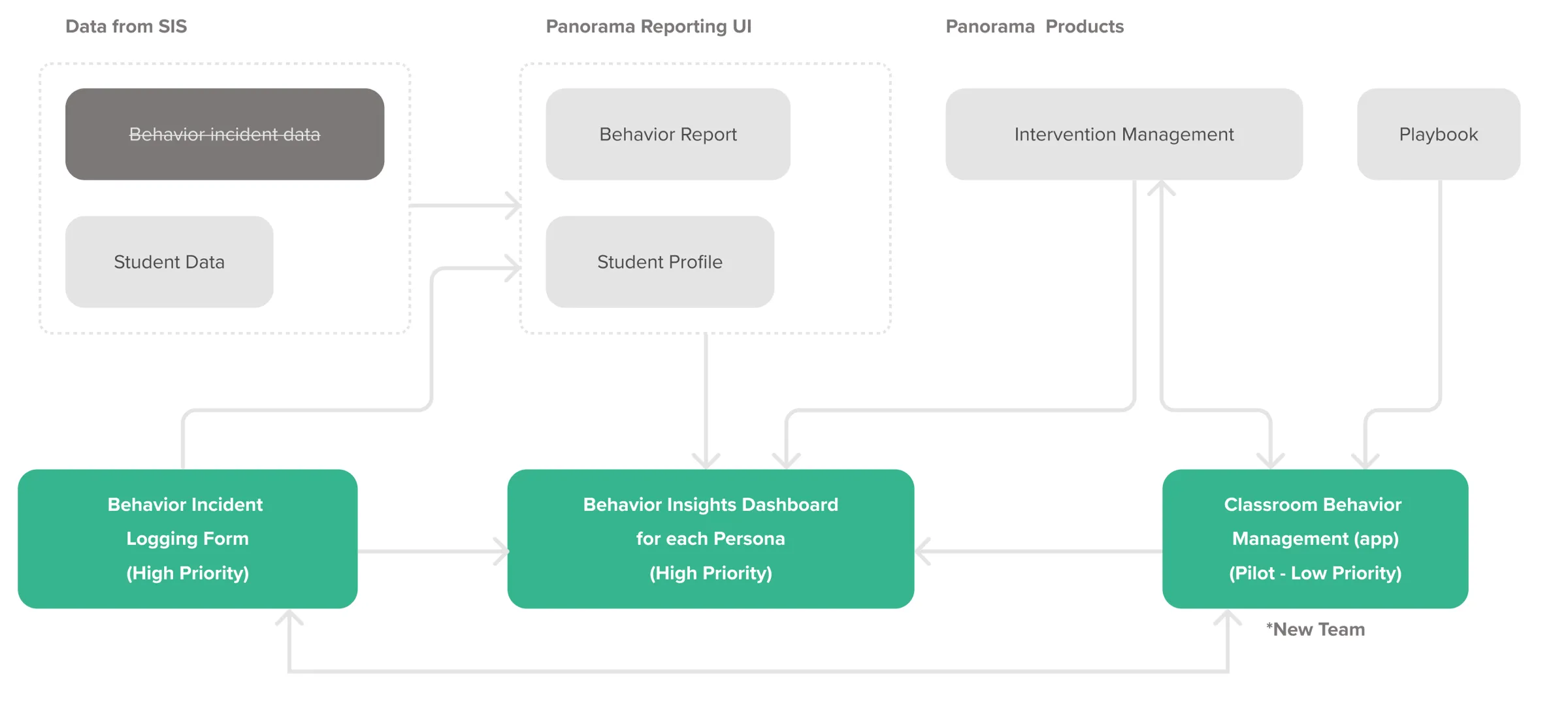
  • 01 — Logging form
    One incident logging form
    One comprehensive incident logging form, consistent across roles and reliable as a data source.
  • 02 — Role dashboards
    Three role-based dashboards
    Three dashboards surfacing the intervention-to-incident relationship and the right next action per role.
MVP strategy diagram: logging form feeding three role-based dashboards
MVP strategy

Design Deep Dive

From sketches to shipped dashboards.

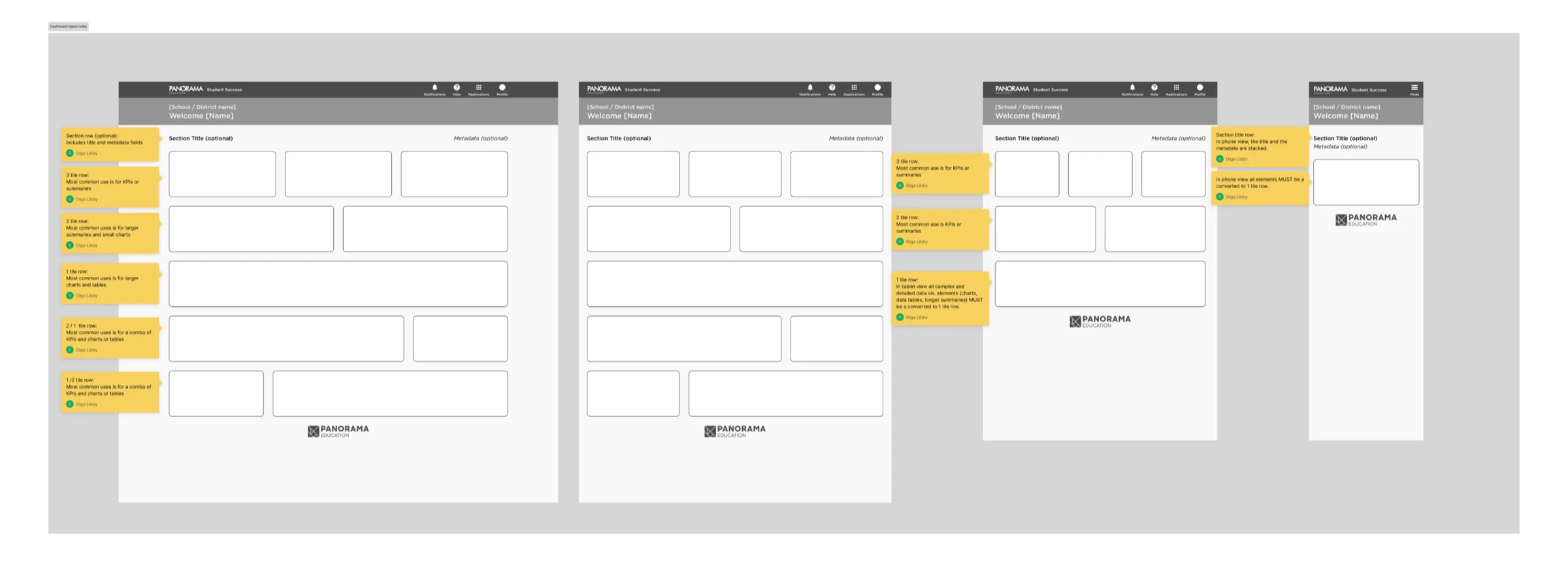
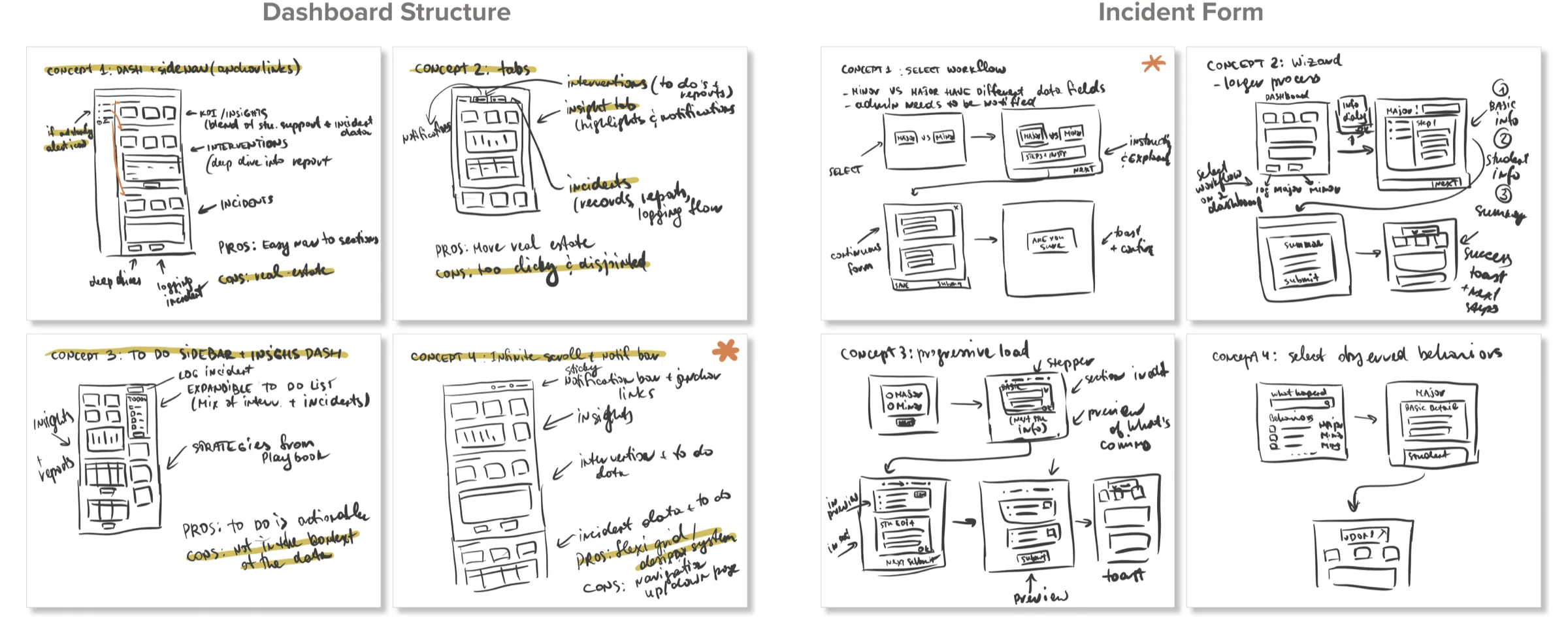
Tight timelines meant design and development ran in parallel. I facilitated sketching and brainstorming workshops to lock the information architecture, then produced wireframes that guided engineering on every net-new page.
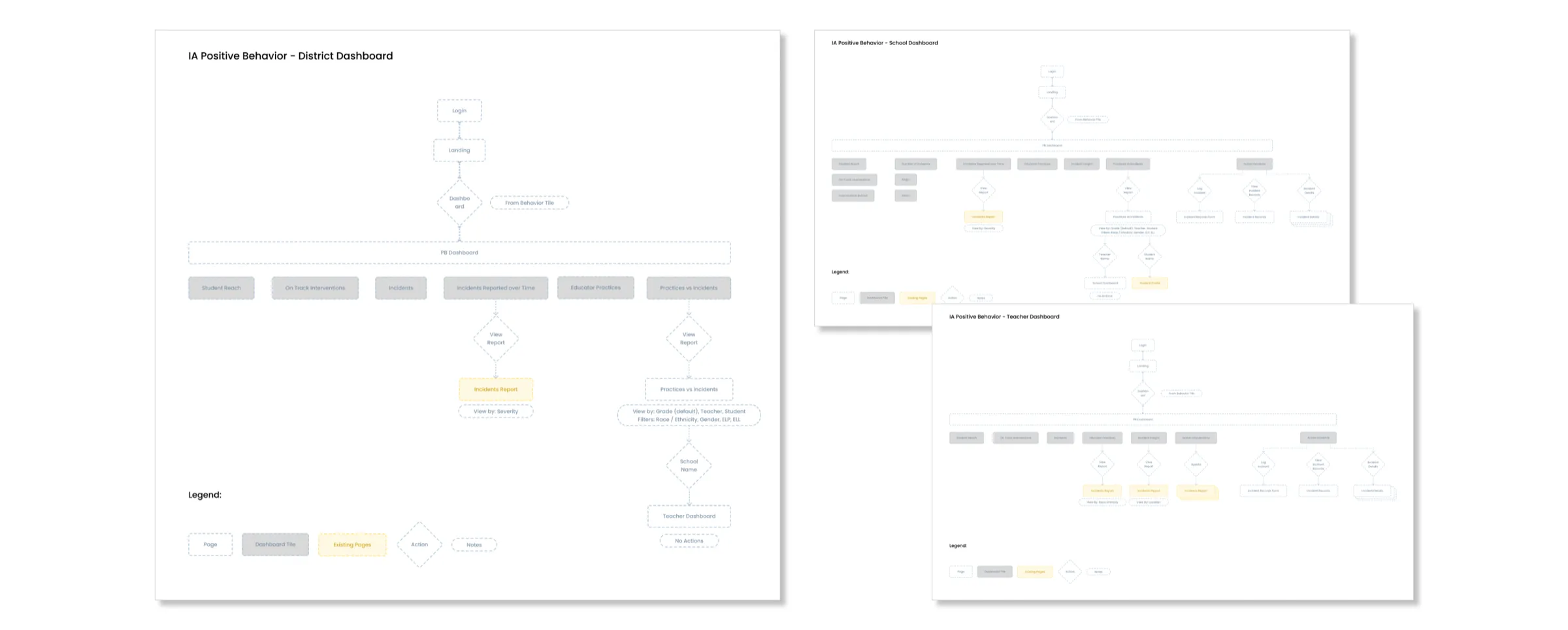
Information architecture map
Information architecture
Sketches of dashboard and logging form concepts
Dashboard and logging form concepts
Wireframes of the dashboard page anatomy at several breakpoints
Wireframes of the dashboard page anatomy and responsiveness

Role-based dashboards

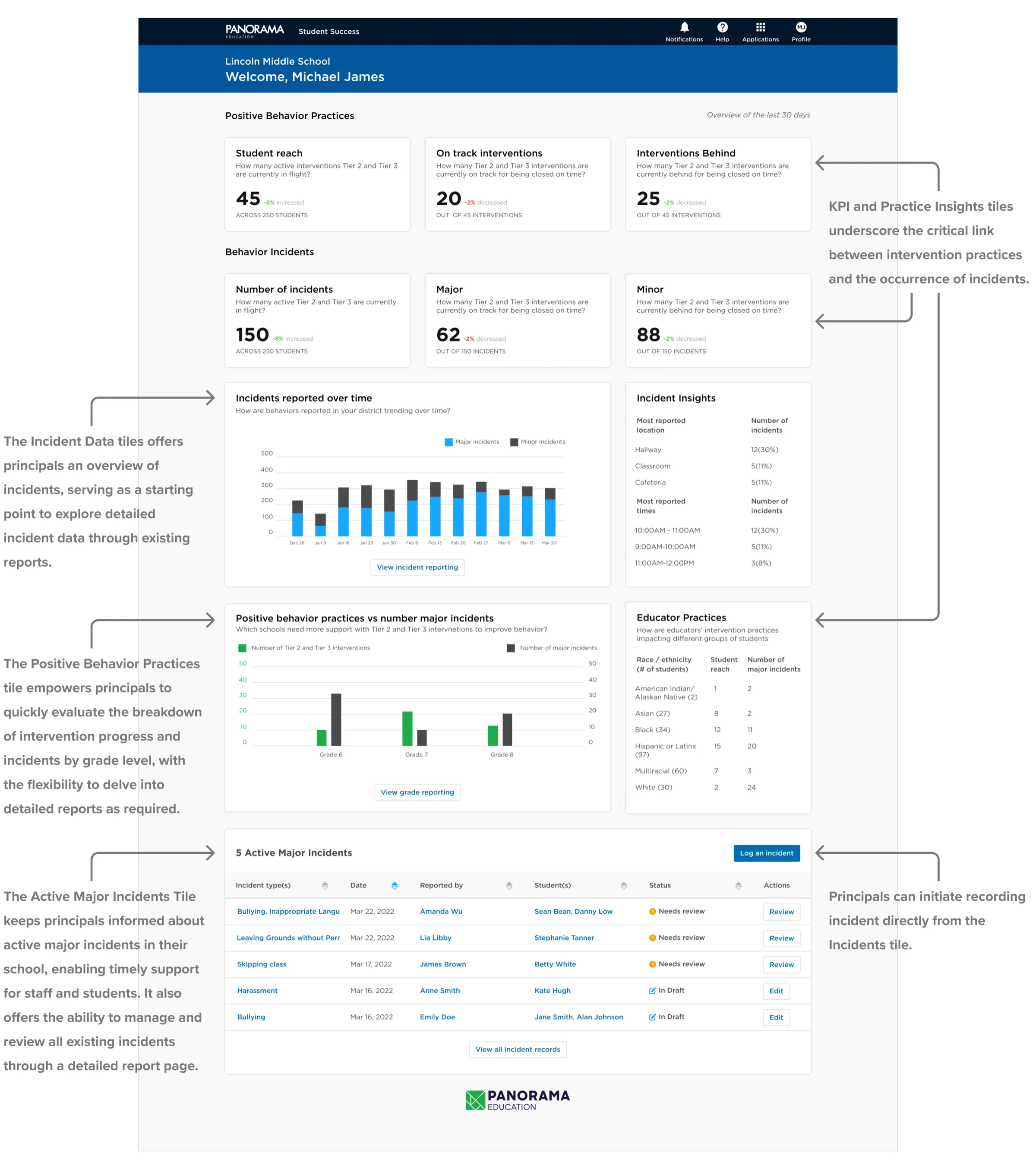
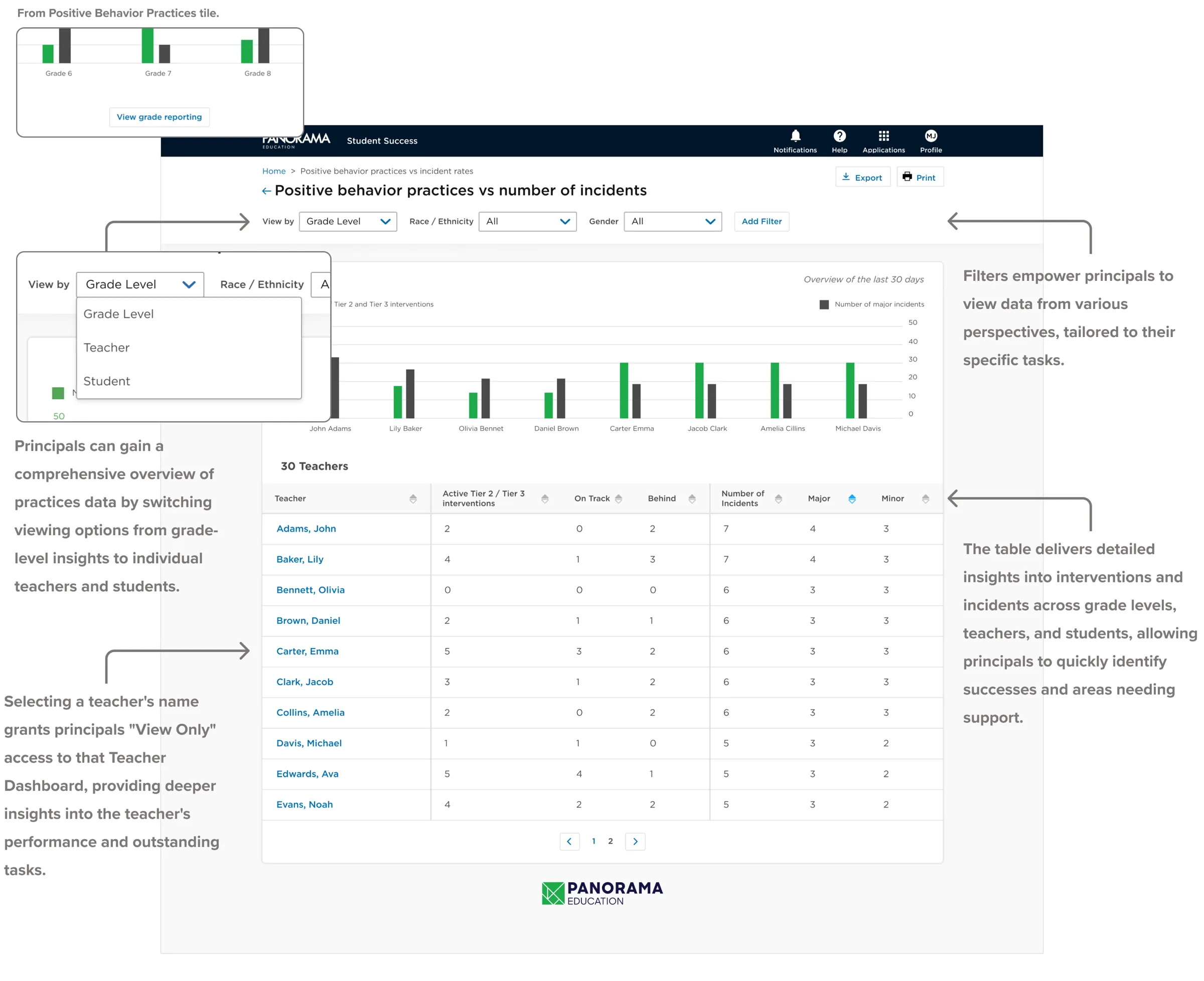
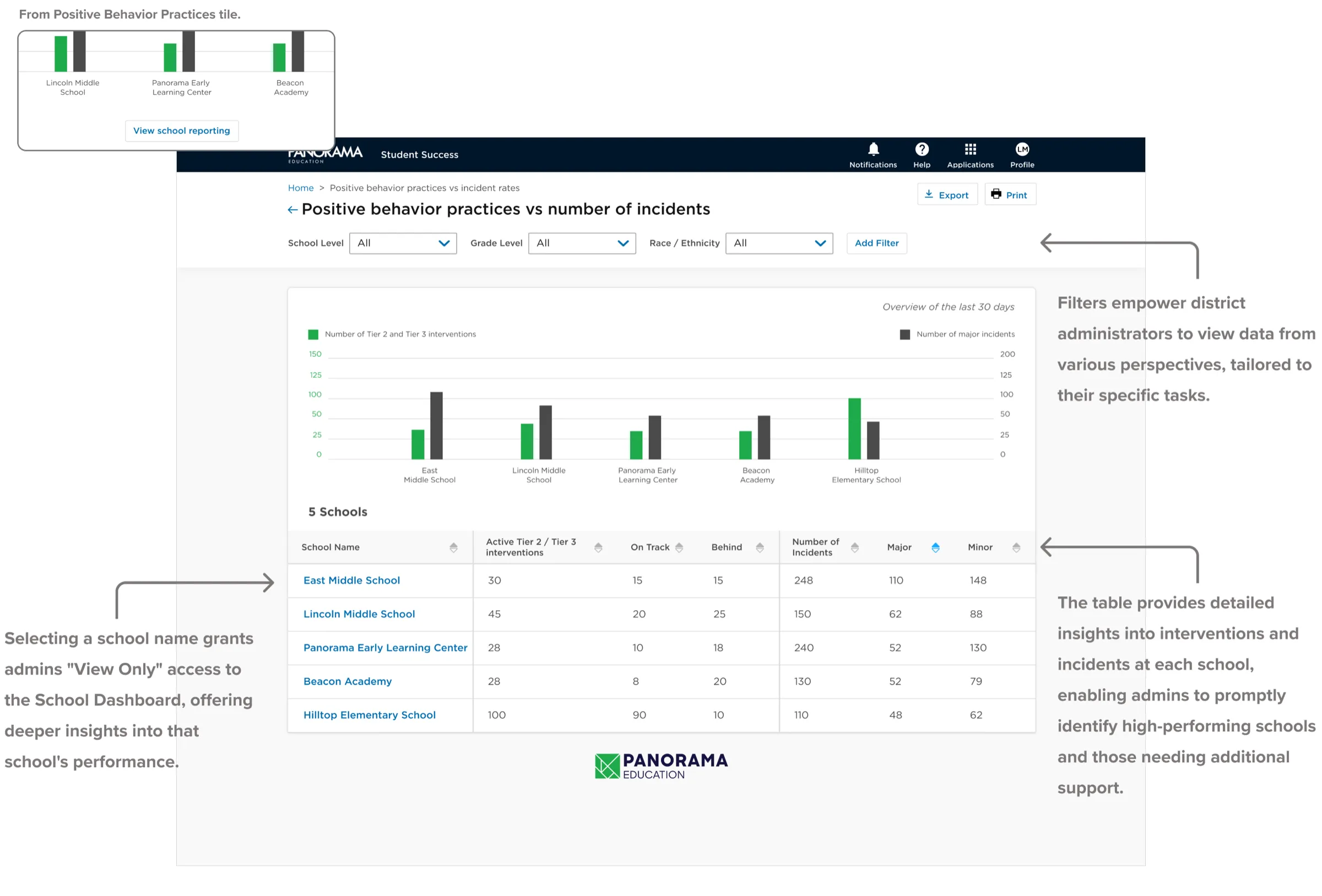
Each role got a tailored dashboard and report built around the Tier 2/3 intervention insight — so admins could troubleshoot with their staff, and teachers knew exactly when to ask for help.
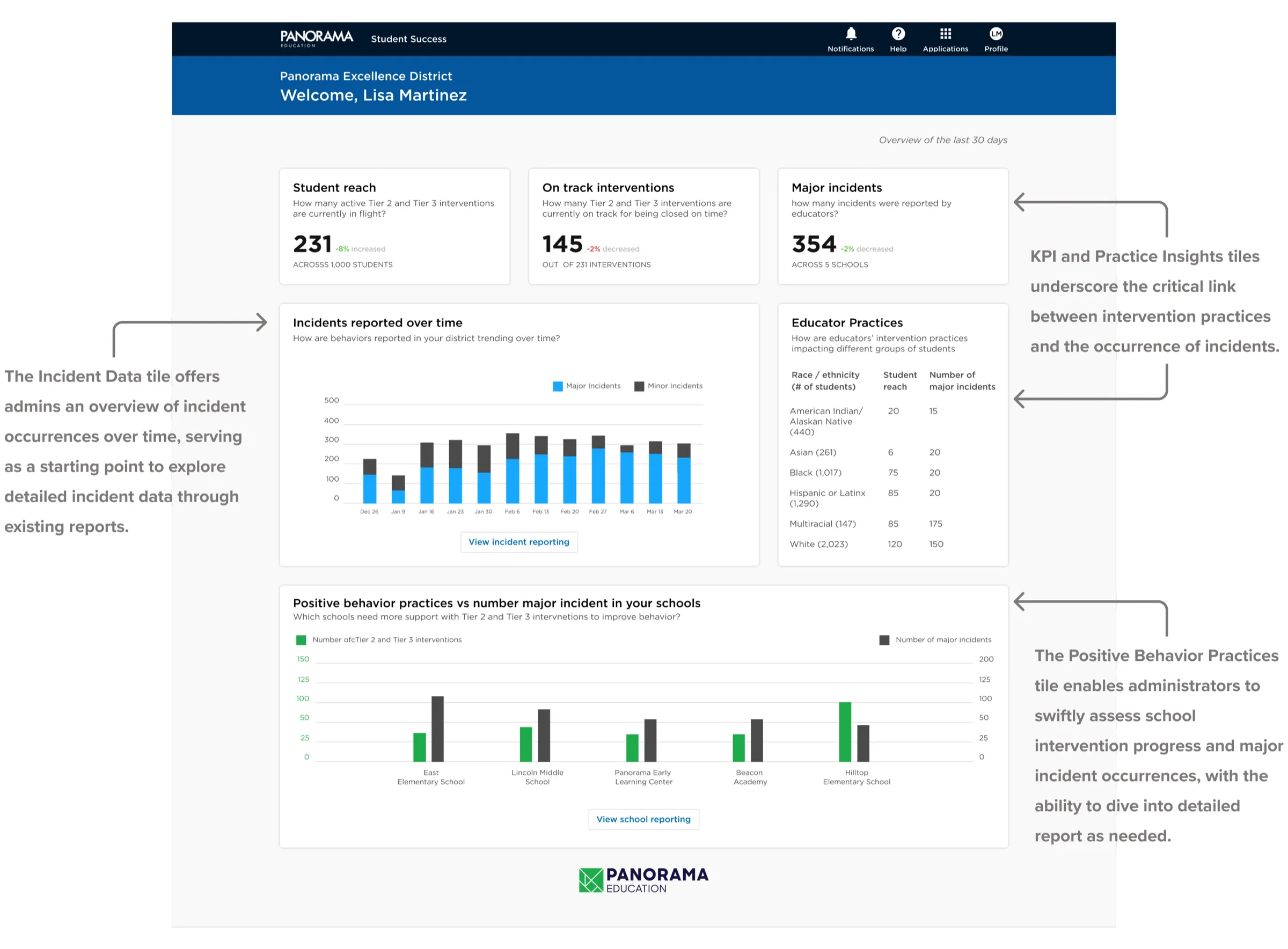
District Admin dashboard
District Admin · District Dashboard
District Admin Positive Behavior Practices report
District Admin · Positive Behavior Practices Report
School Principal dashboard
School Principal · School Dashboard
School Principal Positive Behavior Practices report
School Principal · Positive Behavior Practices Report
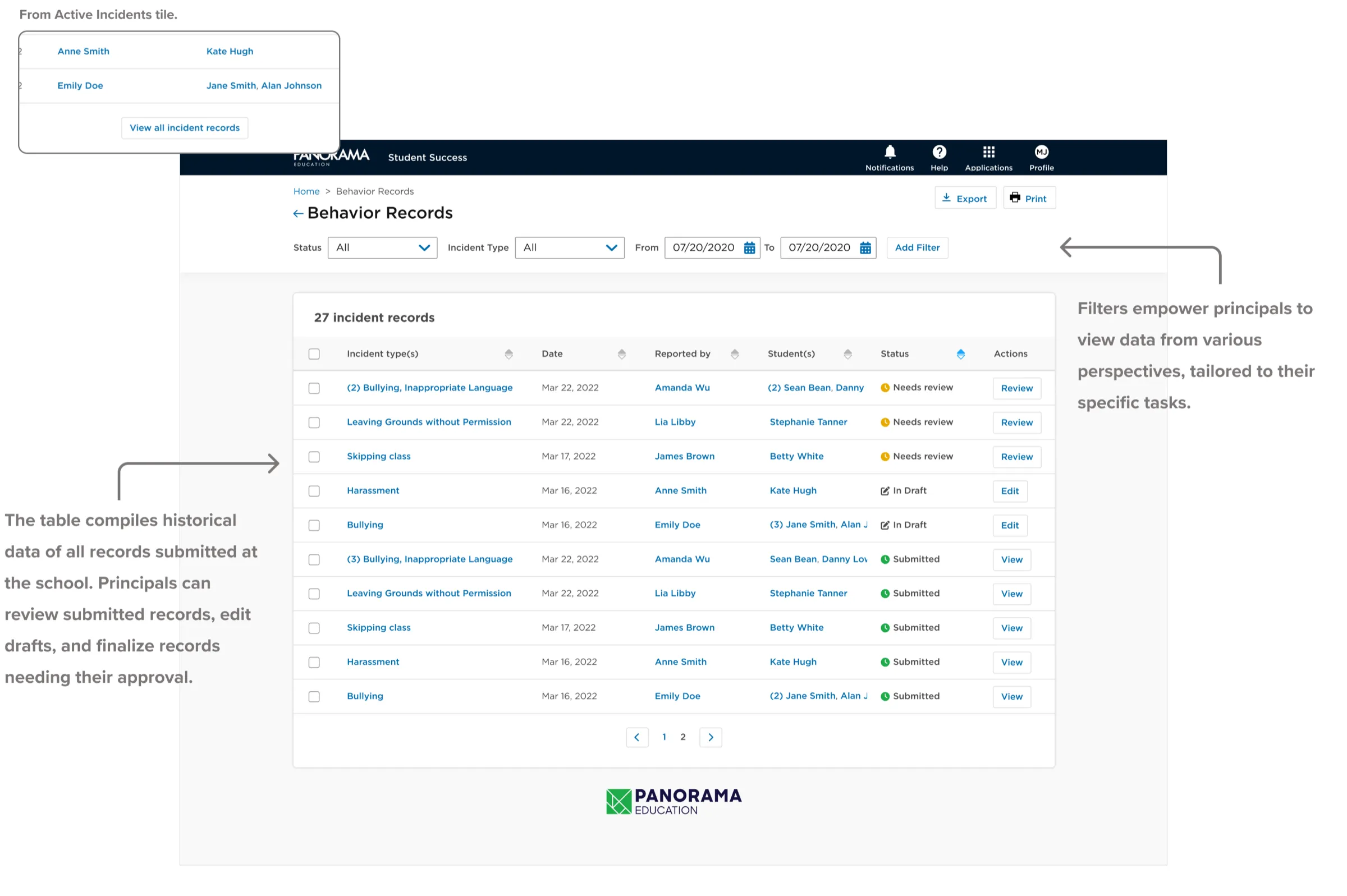
School Principal Incident Records report
School Principal · Incident Records Report
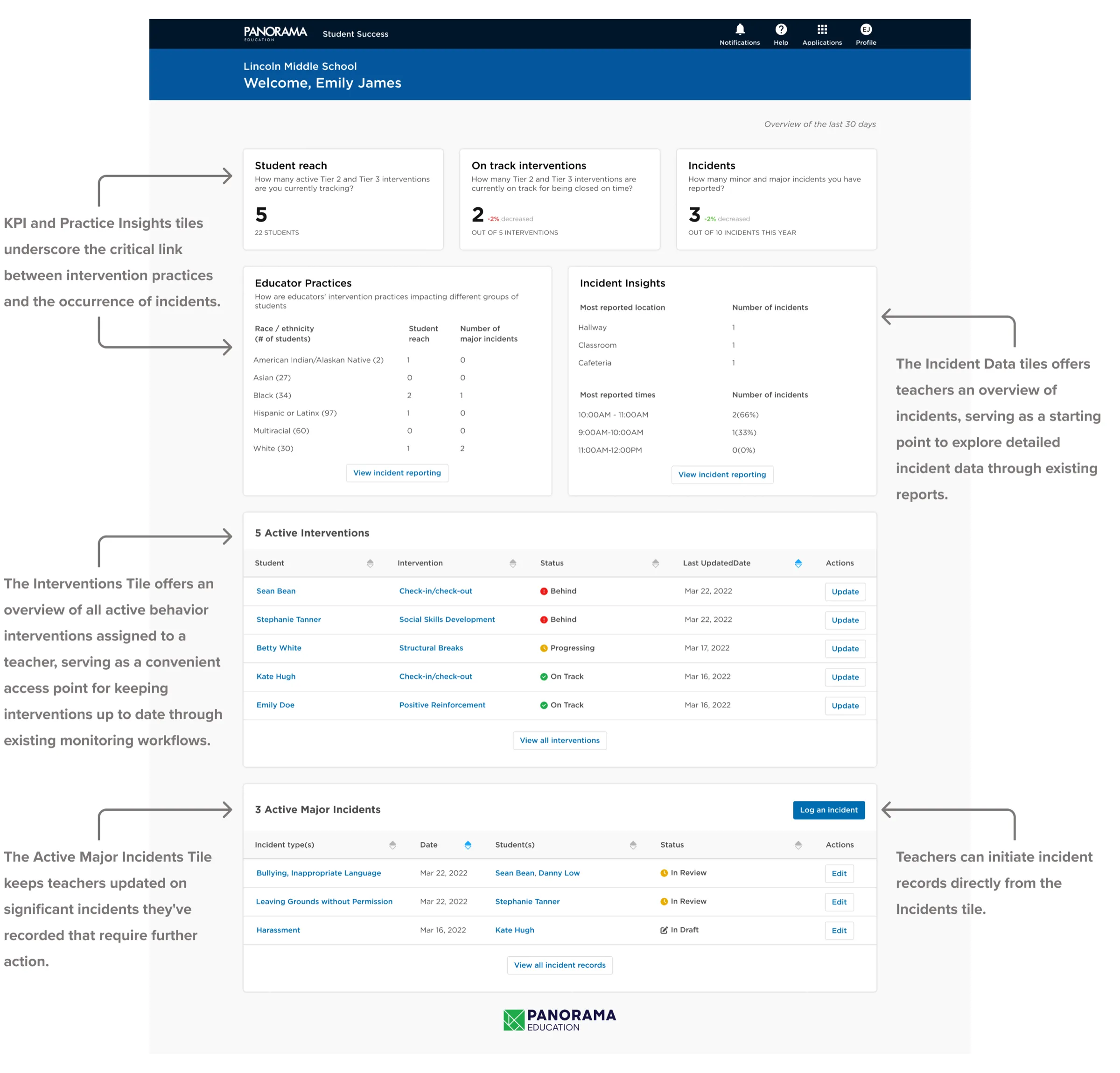
Teacher dashboard
Teacher · Teacher Dashboard
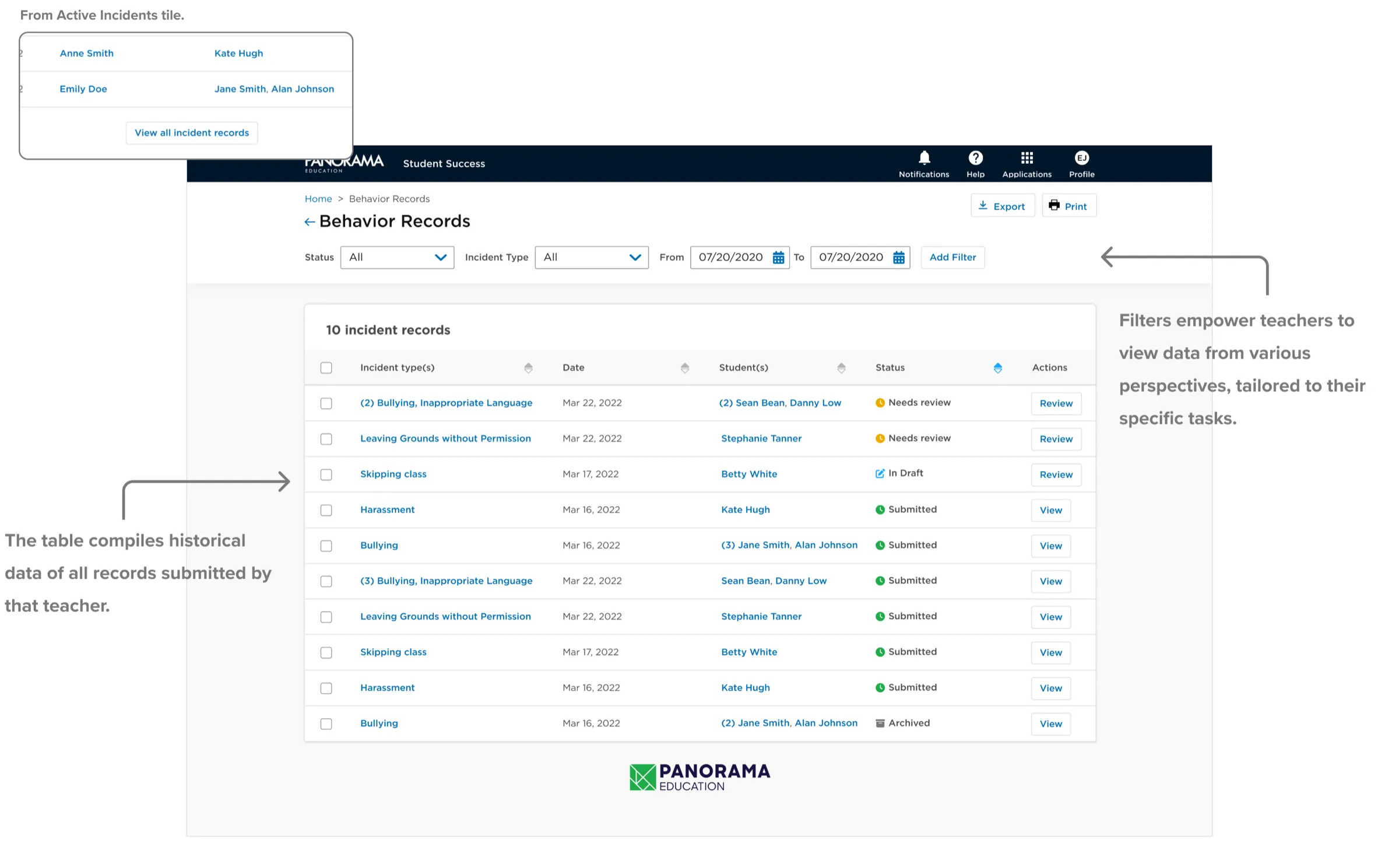
Teacher Incident Records report
Teacher · Incident Records Report

Incident logging flow

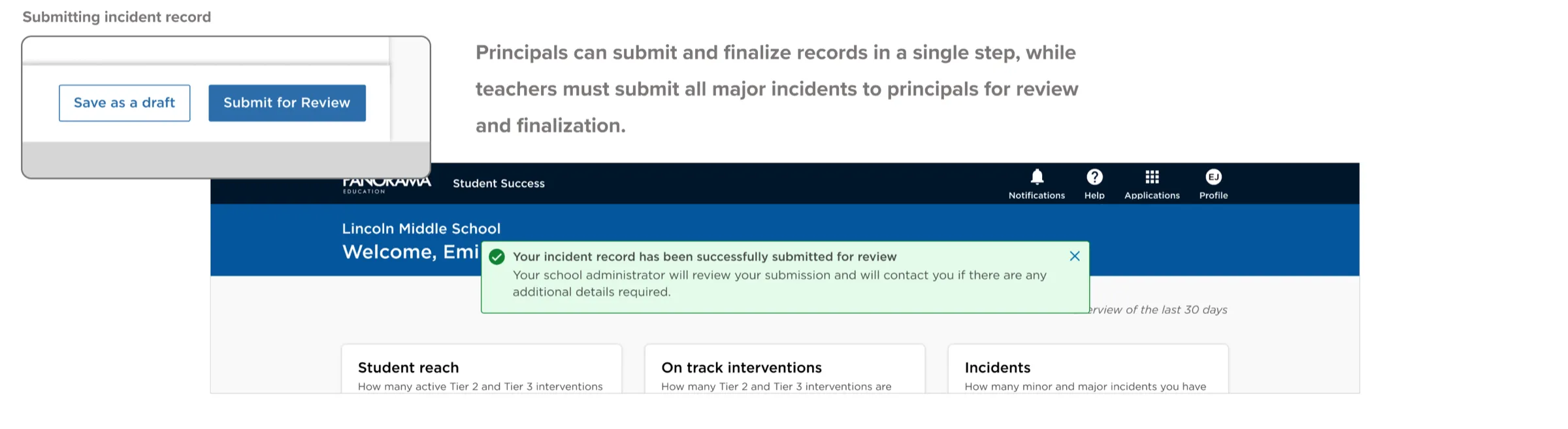
Principals and teachers both log incidents; principals get additional administrative fields to finalize records, assign severity, and document follow-up steps and outcomes.
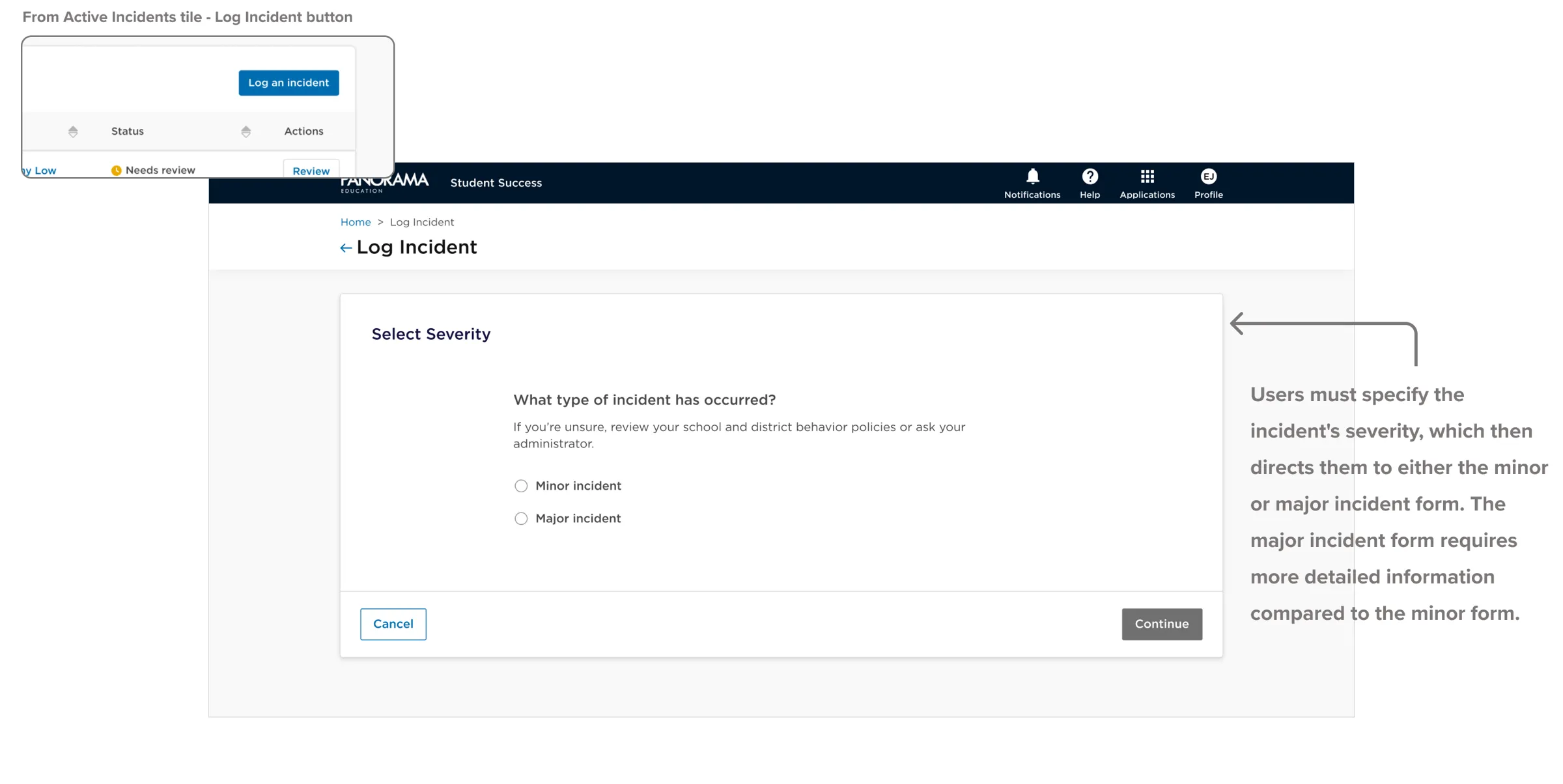
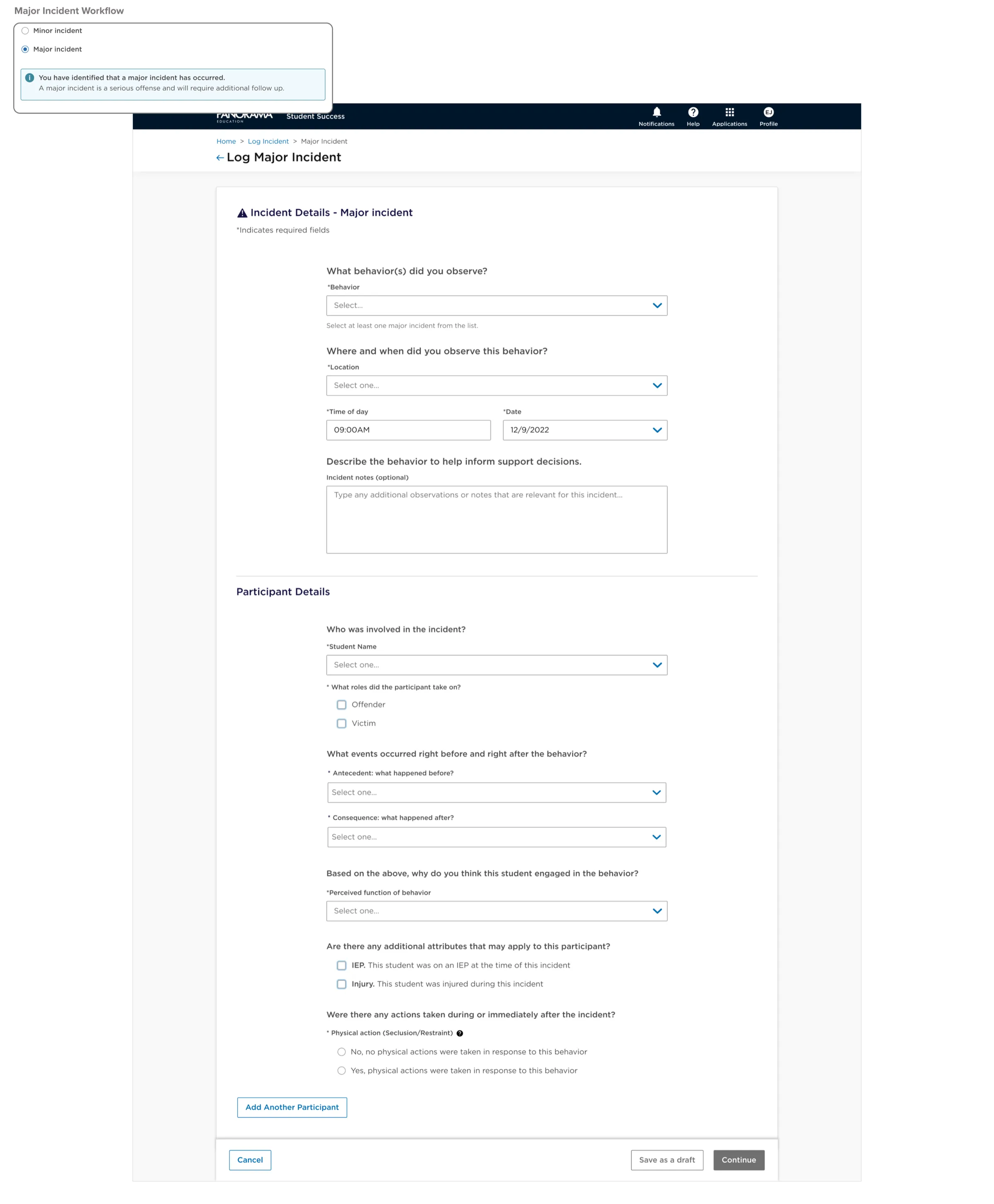
Logging flow step for selecting incident severity
Selecting severity
Major incident logging form
Major incident workflow
Incident logged confirmation screen
Confirmation

Validated and refined

Before launch I ran async Maze studies, in-person interviews, and stakeholder reviews. Five key updates followed:

  1. 01

    Notifications & action button

    Surfaced outstanding actions in the header and added an always-visible "Log Incident" button.
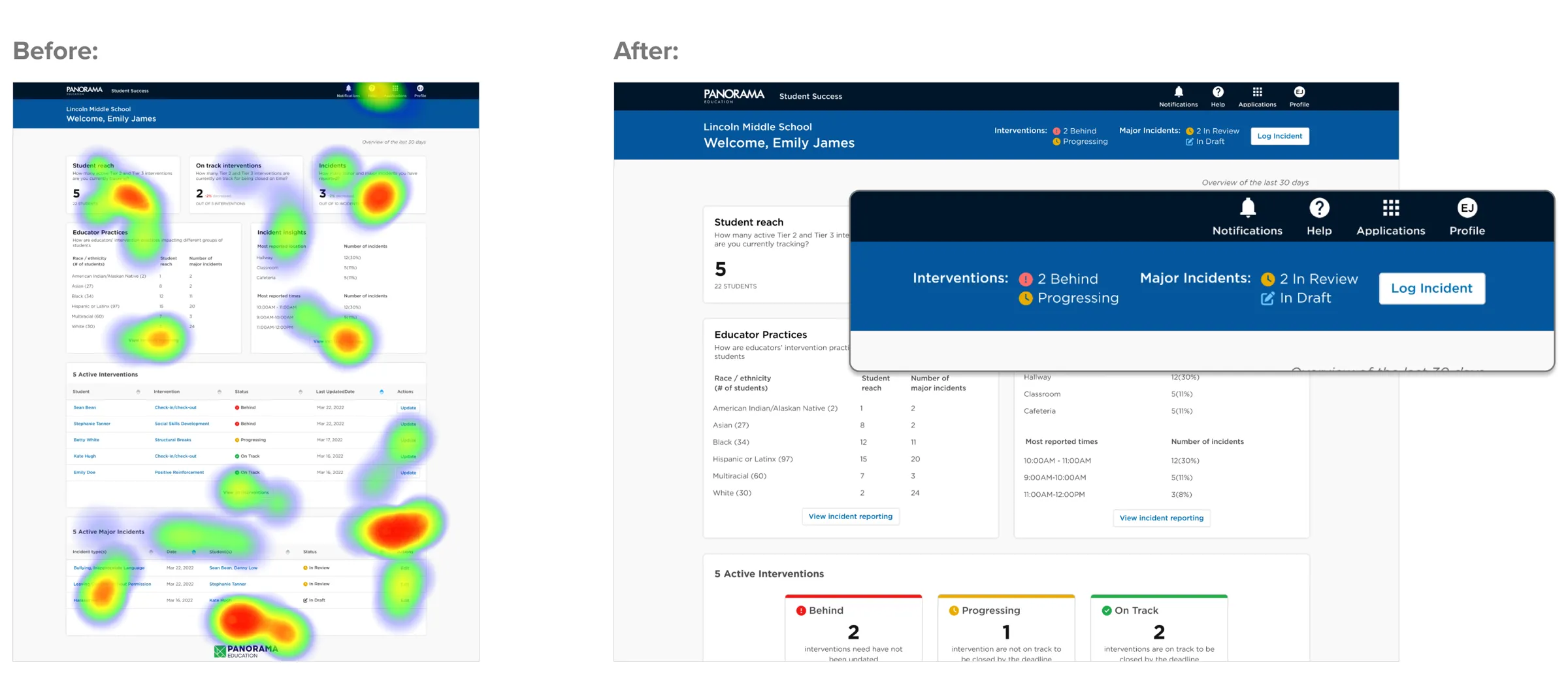
    Dashboard header with a notification bar and Log Incident button
  2. 02

    Behavior-first severity

    Replaced manual severity selection with a simple list of observed behaviors; the system maps severity behind the scenes.
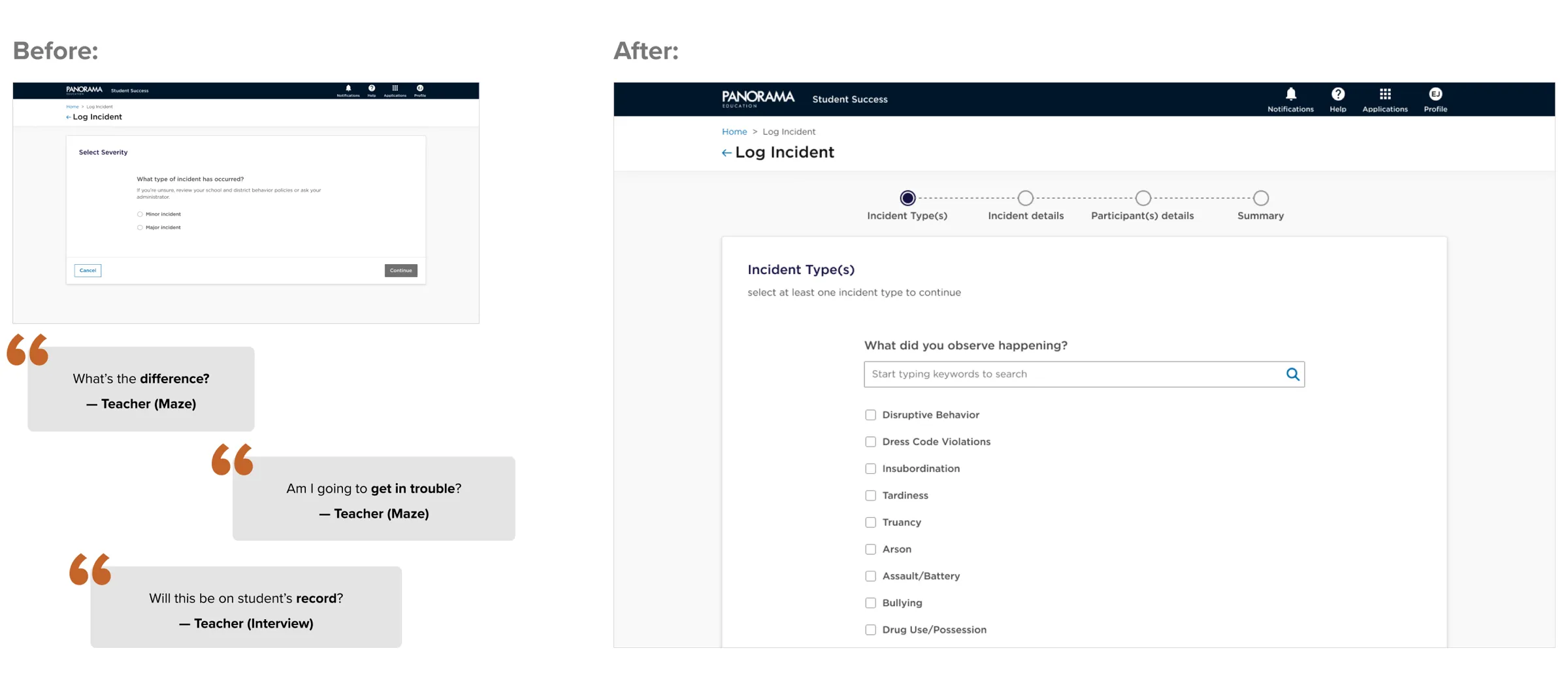
    Observed behavior list replacing the severity selection step
  3. 03

    Stepped logging form

    Split a long form into four logical steps with a progress bar, cutting drop-off significantly.
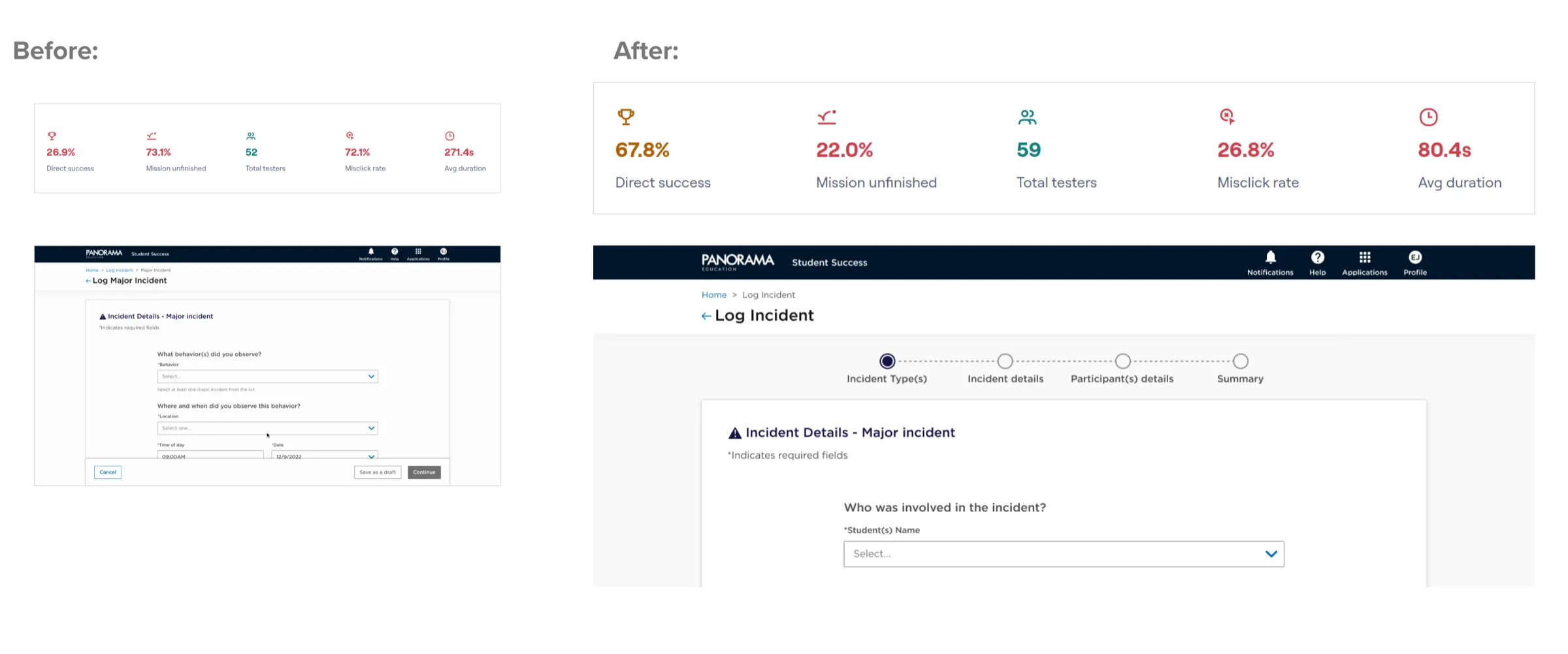
    Logging form split into four steps with a progress bar
  4. 04

    Incident summary

    Added a review step before submission, and a faster way for principals to review and finalize records.
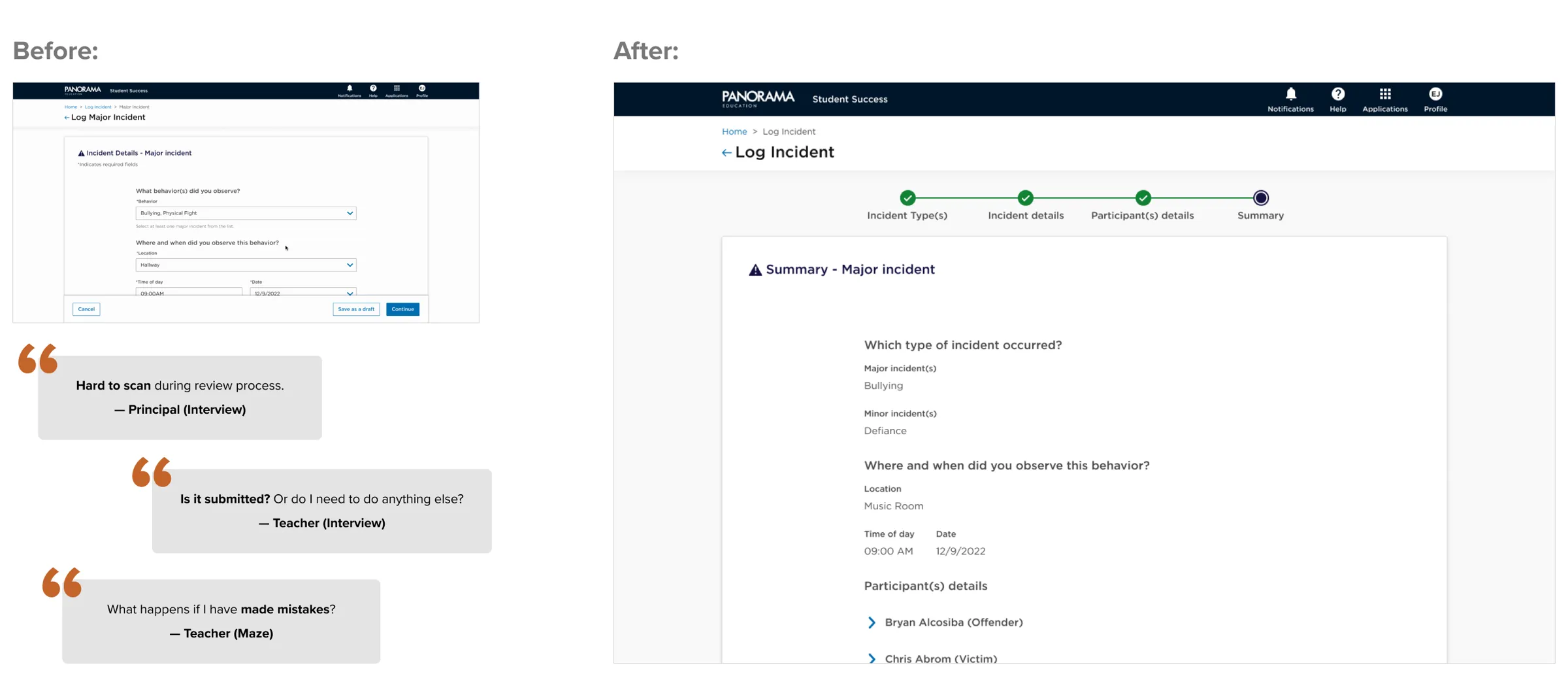
    Incident summary review page before submission
  5. 05

    Summary data visuals

    Visualizations on tiles and reports made dense data scannable — and rolled into the design system.
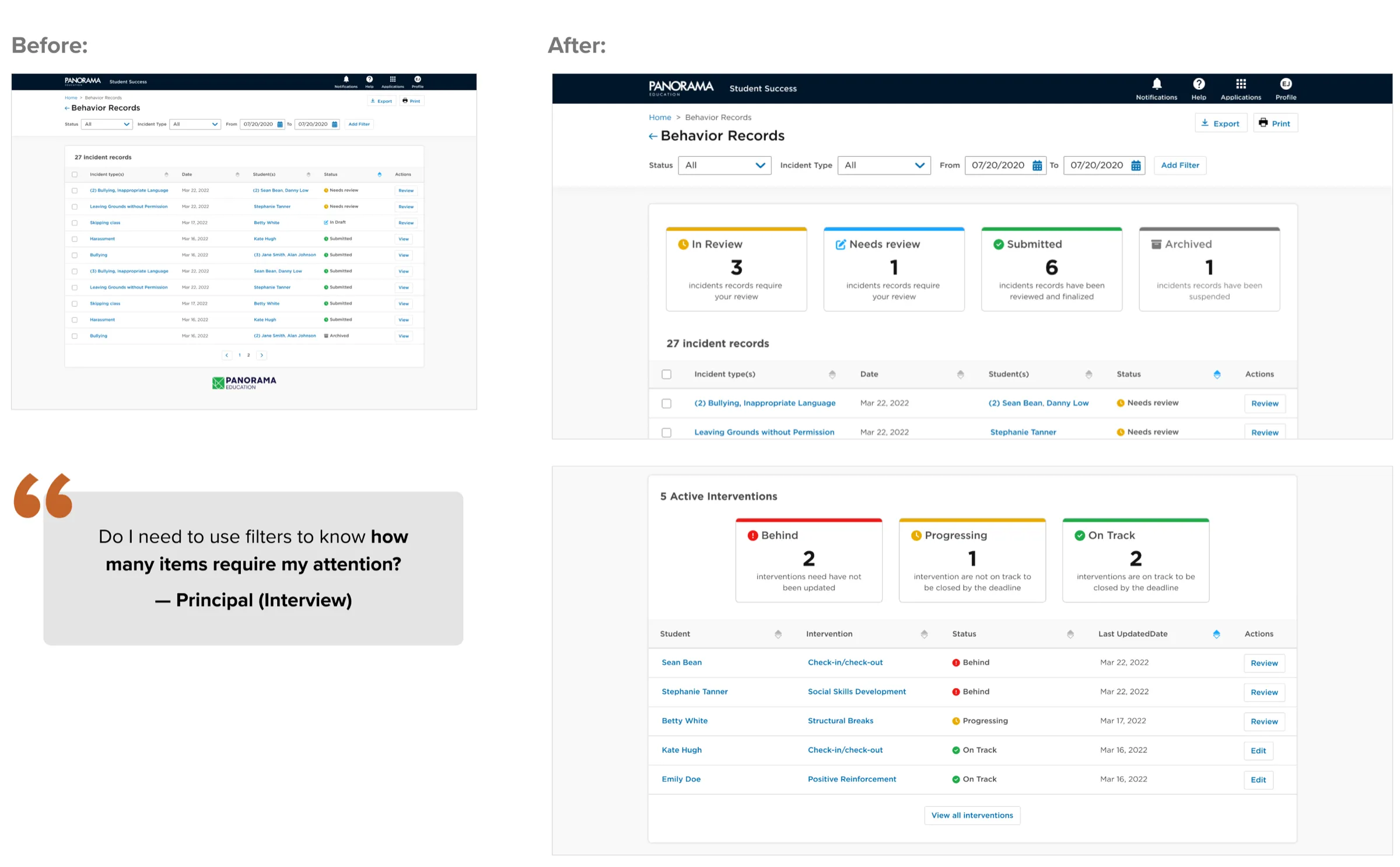
    Summary data visualizations on intervention and incident tiles

Impact

Adoption that stuck.

Even through significant change management, schools that adopted the product showed real commitment — diligently tracking interventions and submitting complete, accurate incident records.
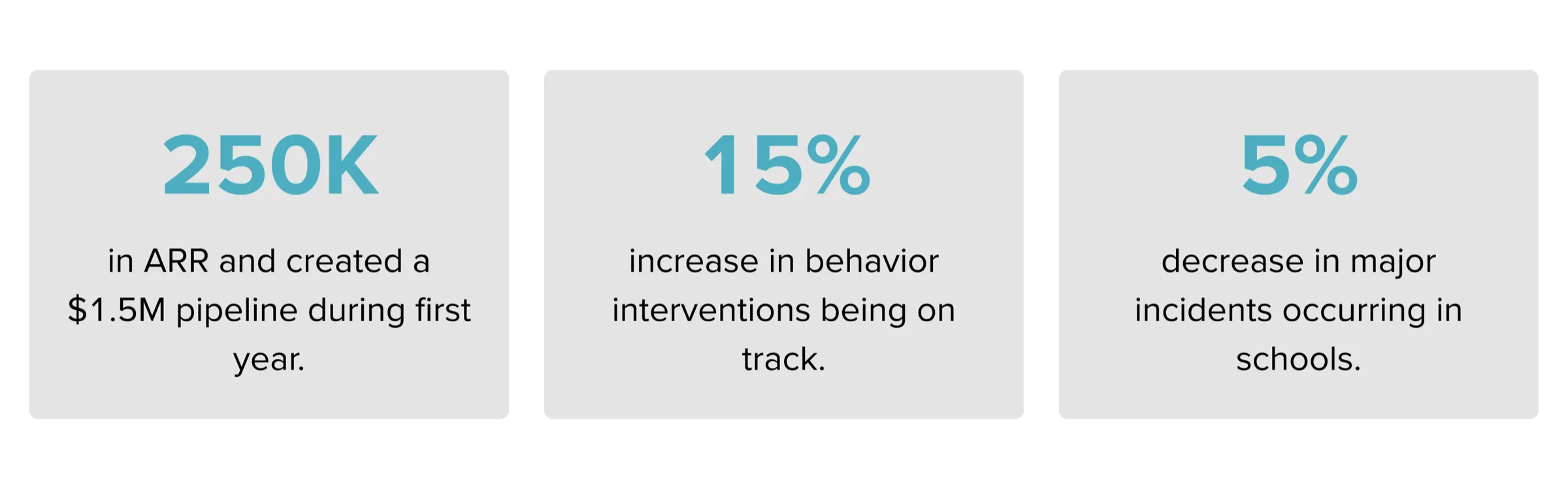
Expansion revenue
$2M
District retention
95%
Fewer office referrals
40%
Charts showing intervention tracking and incident submission results
Results

Beyond the MVP

  • Customizable logging
    Client demand for custom fields drove a discovery cycle I led — resulting in a flexible, configurable incident form tailored to each district's needs.
  • Check-in / Check-out
    Learnings from the mobile pilot seeded a new, custom behavior intervention workflow built on real user feedback.
  • Design system growth
    The work expanded Panorama's Tangrams design system — driving a major overhaul of navigation and analytics dashboards.

Reflection

What I'd carry forward.

  1. 01

    Research and strategy are the foundation.

    They align the team and turn ambiguity into shared, informed decisions that drive real innovation.

  2. 02

    Ship tangible value sooner.

    Early releases gather real feedback and keep the product relevant — incremental value beats a perfect launch later.

  3. 03

    Protect user testing under pressure.

    Even while cutting scope to hit the deadline, disciplined testing kept the MVP genuinely useful for clients.